
Free Text Humanizer
Use our free text humanizer to rewrite AI text so it sounds natural and easy to read.
Text HumanizerKey Takeaways
The Humanizer rewrites AI-sounding text into plainer, more natural prose and keeps your meaning, facts and link URLs.
Two quality tiers: Default for fast, balanced rewrites and Advanced for more thorough edits at 5 times the credits.
It is included on paid plans. On the Free plan you can try an interactive demo with sample data.
It improves the writing, not the verdict. In our test, AI detectors still rated the rewritten text as AI.
What the Text Humanizer does
AI drafts have recognizable habits: stock transitions, inflated vocabulary and long, even sentences. The Humanizer rewrites your text to remove those habits while keeping what it says. Specifically, it:
- cuts stock openers and connectors such as "Furthermore," "Moreover," "It's important to note" and "Let's dive in"
- replaces inflated words such as "leverage," "unlock," "landscape" and "robust" with plain, specific wording
- avoids en and em dashes in body text, using commas, periods or "and" instead
- keeps the meaning, the facts and your link URLs
- may reorganize repetitive blocks of headings plus lists into a mix of paragraphs, subheadings and shorter lists
How to humanize text
Step 1: Pick or paste your text
Choose an article from your history or paste your own. The Humanizer is part of the dashboard, so you'll sign in with Google first.
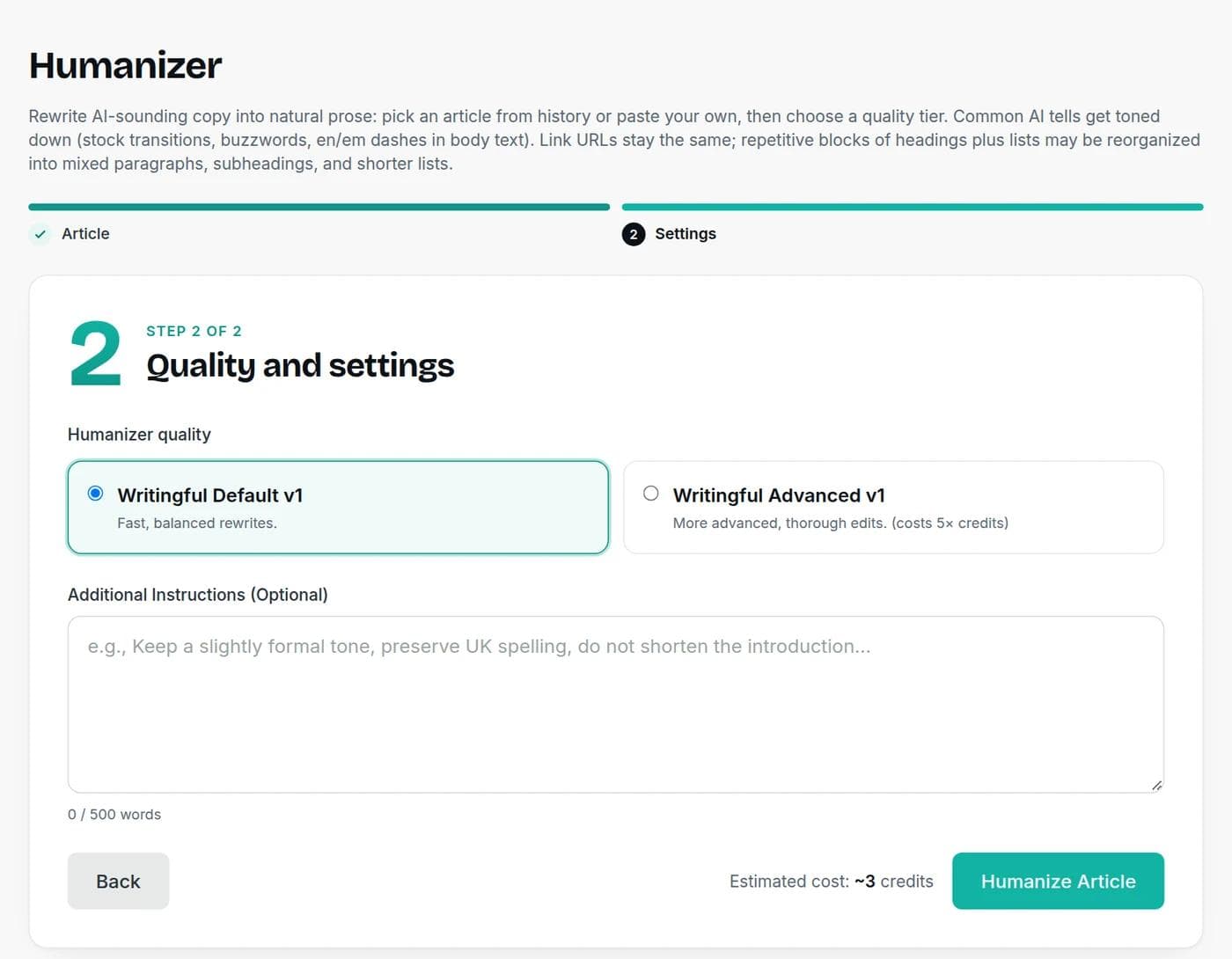
Step 2: Choose a quality tier
Default is fast and balanced. Advanced makes more thorough edits and costs 5 times the credits. You can also add optional instructions, up to 500 words, such as "keep a slightly formal tone," "preserve UK spelling" or "do not shorten the introduction."
Step 3: Humanize and review
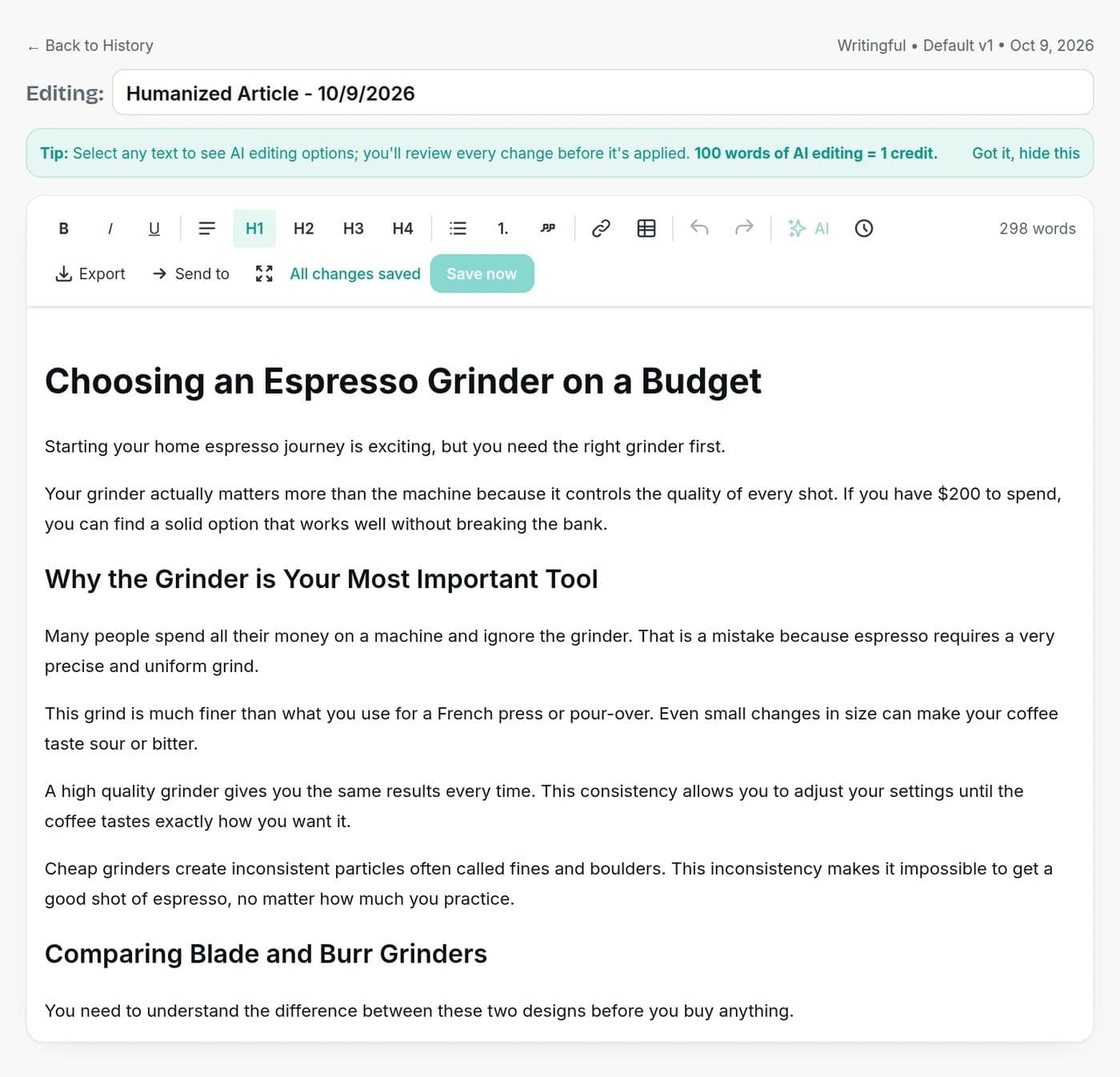
The rewrite opens in the editor, where you can edit it, select text for AI editing options, export it, or send it on to another tool. You can switch back to view the original AI output at any time.
What it costs
Default charges 1 credit per 100 words of input, with a minimum of 1. Advanced charges 5 times that:
| Text length | Default | Advanced |
|---|---|---|
| 300 words | 3 credits | 15 credits |
| 1,000 words | 10 credits | 50 credits |
| 2,000 words | 20 credits | 100 credits |
The Humanizer is available on every paid plan, starting at $7.50 a month billed yearly. Free accounts can open it and try an interactive demo with sample data, which uses no credits. See the pricing page.
A real before and after
We took the first part of an AI-written article about choosing an espresso grinder, 298 words in total, and ran it through both tiers. Here is the opening of each version:
| Version | Opening |
|---|---|
| Original AI draft | Getting into espresso at home is exciting, but it all starts with one crucial decision: choosing the right grinder. Your grinder is arguably more important than your espresso machine itself—it directly impacts the quality of every shot you pull. If you're just starting out with a $200 budget, this guide will help you make a smart choice that won't leave you frustrated or broke. |
| Default | Starting your home espresso journey is exciting, but you need the right grinder first. Your grinder actually matters more than the machine because it controls the quality of every shot. If you have $200 to spend, you can find a solid option that works well without breaking the bank. |
| Advanced | Making espresso at home starts with choosing the right grinder. This tool is actually more important than your espresso machine. A good grinder directly affects the quality of every shot you pull. If you have a $200 budget, this guide will help you find a great option. |
Both versions are shorter and plainer. The filler is gone ("it all starts with one crucial decision," "Let's dive in," "transform your experience"), the long sentences are split, and the $200 budget and the main point are intact. Neither added anything new, because that is not what a humanizer does. Specific details, your own examples and your opinion still have to come from you.
Does humanizing beat AI detectors?
No, and you should not expect it to. We scanned the same 298-word draft with the Writingful AI Detector before and after. A 46-word test with a stock-phrase paragraph scored 100% AI before and after both tiers.
On a 298-word AI-written draft, our AI Detector rated the text 100% AI before humanizing, 97% after the Default tier and 98% after Advanced.
View the numbers
| Item | Value (% AI) |
|---|---|
| Original AI draft | 100 |
| After Default | 97 |
| After Advanced | 98 |
That makes sense. Detectors look at how predictable text is. Replacing "leverage" with "use" makes writing plainer, but plain, generic wording is still predictable. What changes how text reads, to people and to detectors, is specificity: a real example, a number from your own work, a clear opinion, an uneven rhythm. Those are the parts a rewrite tool cannot invent for you.
It also means you should not use a humanizer to hide AI use from someone who prohibits it. A rewrite does not change a school's or client's rules, and it is not a reliable way around a detector. Read more about what detectors can and cannot tell you.
How to make AI text sound human
Use the Humanizer to clear the obvious habits, then finish the job yourself:
- Add one real example from your own work, such as a story, a customer, a result.
- Replace vague claims with numbers, names and dates you have checked.
- Take a position. AI text avoids committing. A clear opinion changes how a paragraph reads.
- Vary the rhythm. Mix short sentences with long ones, and start some with "But" or "And."
- Read it aloud. Anything you would not say, rewrite.
- Check the facts again. Rewriting can blur a number or a claim, so verify anything that matters.
Is humanized content good for SEO?
Search engines do not rank text by whether it sounds human. Google's guidance says AI-assisted content is fine when it is helpful, accurate and reviewed, and it warns against mass-producing pages that add no value. Humanizing alone does not make a thin page useful. Read Google's guidance on AI-generated content.
When not to use it
Skip it for text that is already in your own voice, because rewriting adds nothing. Be careful with legal wording, technical specifications and quotations, where exact wording matters. And always read the result before you publish it.
Need the first draft? Try the AI article writer or the AI blog writer. To shorten text instead of rewriting it, use the summarizer.
Frequently asked questions
Writingful for your kind of writing
See how Writingful helps with the content you write most, by use case and by industry.

Story Writing
Brainstorm plots, draft scenes, and write short stories faster, then make them your own.
- Short story drafts
- Scene and dialogue
- Character profiles and backstories

SEO Content Writing
Research keywords, write articles, and optimize them for search in one place, without publishing thin content.
- Keyword research
- Article drafts
- Content outlines and briefs

Press Release Writing
Draft clear, factual press releases in minutes, from the facts and quotes you approve.
- Product and service launches
- Company news
- Event announcements

Real Estate Agents
Write listing descriptions, neighborhood guides, market updates, and blog posts in less time, with fair housing in mind.
- Listing descriptions
- Neighborhood and area guides
- Market updates and newsletters

Accountants
Write client emails, tax-season updates, and firm blog posts faster, while keeping client data and professional rules in view.
- Firm blog posts and tax explainers
- Service pages
- Client deadline emails

Automotive
Write vehicle descriptions, service pages, and local content faster, with pricing and offer claims you can stand behind.
- Vehicle descriptions
- Service and repair pages
- Dealership and shop blog posts