
Free Summarizer
Turn long articles, notes, or transcripts into a clear summary in seconds.
Free SummarizerKey Takeaways
Paste an article, notes or a transcript, say what kind of summary you want, and get one in seconds.
You choose the format by asking for it: a short paragraph, bullet takeaways, a TL;DR, a meeting recap.
It runs on your monthly credits, about 1 credit per 100 words of text in and out. The Free plan includes 5,000 words a month.
AI summaries can shift the meaning slightly. Compare the result with the source before you share it.
What the summarizer does
The summarizer condenses text you paste into a shorter version that keeps the main points. It is built for the jobs people actually have: boiling an article down to a paragraph, pulling takeaways out of meeting notes, turning a call transcript into action items, or getting a TL;DR before you decide whether to read the full piece.
It works on pasted text. It does not open links, PDFs or videos for you, so copy the text (or the transcript) into the box. You'll sign in with Google when you run it, free and with no card.
How to summarize text in 4 steps
Step 1: Paste your text
Paste the article, notes or transcript into the input box. The page accepts up to 1,000 words at a time, and the tool in your dashboard accepts up to 5,000. For something longer, summarize it in sections.
Step 2: Say what kind of summary you want
Add one line after your text with the format, the length and the focus. The more specific you are, the more usable the result. See the examples below.
Step 3: Click Summarize
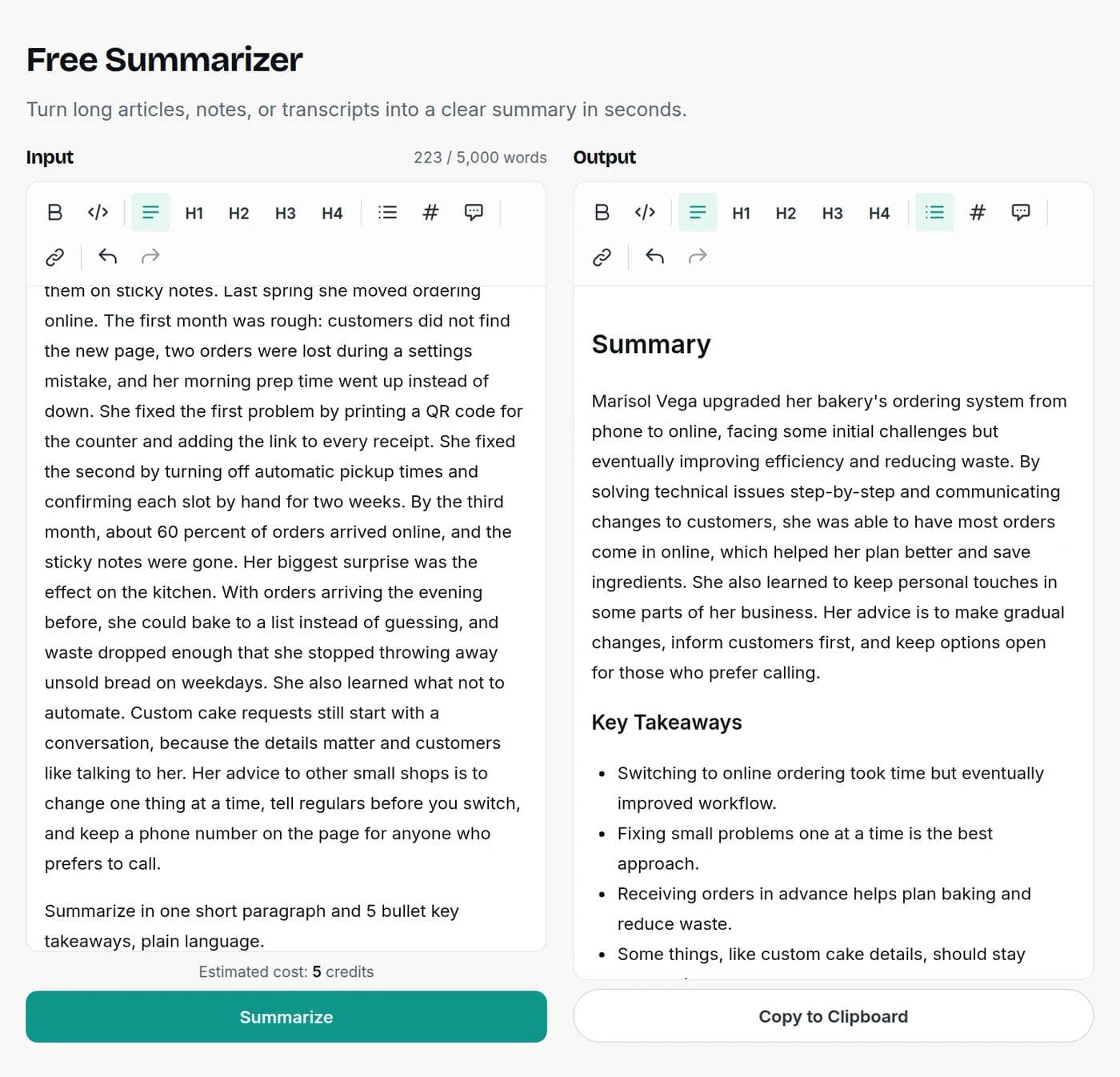
The summary appears next to your text in a few seconds. You can edit it in place and use Copy to Clipboard to take it with you.
Step 4: Check it against the source
Read the summary next to the original. Names, numbers and advice should match what the source says.
Ask for the summary you need
The tool has no format buttons. You steer it with a line of plain instructions, which also means you can ask for exactly what you need:
| What you need | Add this line after your text |
|---|---|
| A quick TL;DR | Summarize in two sentences. |
| Key takeaways | Summarize in one short paragraph and 5 bullet key takeaways, plain language. |
| Meeting recap | Summarize as decisions made, action items with owners, and open questions. |
| Study notes | Summarize as a short list of the main ideas and the evidence for each. |
| Blog research | Summarize the main argument, the three strongest points and any statistics, with the numbers exactly as written. |
| For a busy reader | Write a 100-word summary for an executive who has not read this. |
A real example, and what to check
We pasted a 223-word story about a small bakery moving its orders online and asked for one short paragraph plus 5 bullet takeaways. The summary was clear and mostly right. It kept the key facts: the early problems, the move to ordering by list, the phone option for customers who prefer to call.
It also made one small change. The source's advice was to change one thing at a time. The summary's takeaway read "Fixing small problems one at a time is the best approach." That is close, but it is not the same advice. Differences like this are easy to miss, which is why the last step matters. Checking one or two key points against the source takes seconds.
What a good summary keeps
- The main point, stated first.
- The evidence that supports it, with numbers and names unchanged.
- The conclusion or recommendation, in the author's own terms.
- Nothing new. A summary should not add claims, opinions or context that the source does not contain.
Summarizing is not paraphrasing
A summary is shorter than the source and keeps only the main ideas. A paraphrase rewrites the whole passage in new words at about the same length. If you need your own wording at full length, use a paraphrase tool instead. And if you use a summary of someone else's work in an essay or a post, credit the original author. A summary is still their work.
What it costs
Free tools run on your monthly credits. The charge is about 1 credit per 100 words of text, counting both what you paste and what comes back, with a minimum of 1 credit. The page shows an estimate before you run. Free accounts get 5,000 words a month, and paid plans start at $7.50 a month billed yearly. See the pricing page.
When a summarizer is the wrong tool
Do not rely on a summary alone for legal terms, medical information, contracts or anything where a missed detail has a cost. Read the source. Use the summary to decide what to read closely, not to replace reading.
Turning your notes into a longer piece? Try the AI article writer or the outline generator. To check the length of a draft, use the word counter.
Frequently asked questions
Writingful for your kind of writing
See how Writingful helps with the content you write most, by use case and by industry.

Press Release Writing
Draft clear, factual press releases in minutes, from the facts and quotes you approve.
- Product and service launches
- Company news
- Event announcements

Essay Writing
Brainstorm, outline, and revise essays faster, and stay inside your school's rules on academic integrity.
- Brainstorming and angles
- Thesis statements
- Essay outlines

Story Writing
Brainstorm plots, draft scenes, and write short stories faster, then make them your own.
- Short story drafts
- Scene and dialogue
- Character profiles and backstories

Software & Tech
Write blog posts, docs, release notes, and landing pages faster, and keep your technical claims accurate.
- SaaS blog posts and tutorials
- Landing and feature pages
- Documentation drafts

Restaurants
Write menu descriptions, specials, newsletters, and local blog posts faster, without risking an allergen or nutrition mistake.
- Menu descriptions
- Specials and event posts
- Social media captions

Corporate
Draft announcements, executive messages, press releases, and employee communications faster, then review them before they go out.
- Internal announcements
- Executive message drafts
- Press releases