
Free Rewording Tool
Use our free rewording tool to rewrite your text with better clarity and the tone you want.
Free Rewording ToolKey Takeaways
Paste a sentence or paragraph, add a line about the tone or length you want, and get reworded versions in seconds. It returns three versions, and in 20 test runs it did so every time.
Rewording changes the words and keeps the meaning. It is a lighter edit than rewriting, and it is not the same as summarizing.
AI rewording can still drift. In our test "confuse" became "mislead" in one version, so compare every version with your source before you use one.
It runs on your monthly credits: about 1 credit per 100 words of text in and out. The Free plan includes 5,000 words a month.
What the rewording tool does
The rewording tool takes text you paste and writes it again in different words while keeping the meaning. Use it when a sentence is clunky, when you have said the same thing twice in a row, when a draft needs a different tone for a different reader, or when you simply want to see another way to put something.
It works on pasted text, and the text can be a sentence, a paragraph or a few paragraphs. You sign in with Google when you run it, free and with no card.
How to reword text in 4 steps
Step 1: Paste your text
Paste the sentence or paragraph into the box. The page takes up to 1,000 words at a time and the tool in your dashboard takes up to 5,000. For a long piece, reword it a section at a time. You will get better results and keep more control.
Step 2: Add one line about what you want
The box is one editor, so type your instruction before or after the text. Say the tone, the audience and the length, and name any details that must stay. A line is enough. See the examples below.
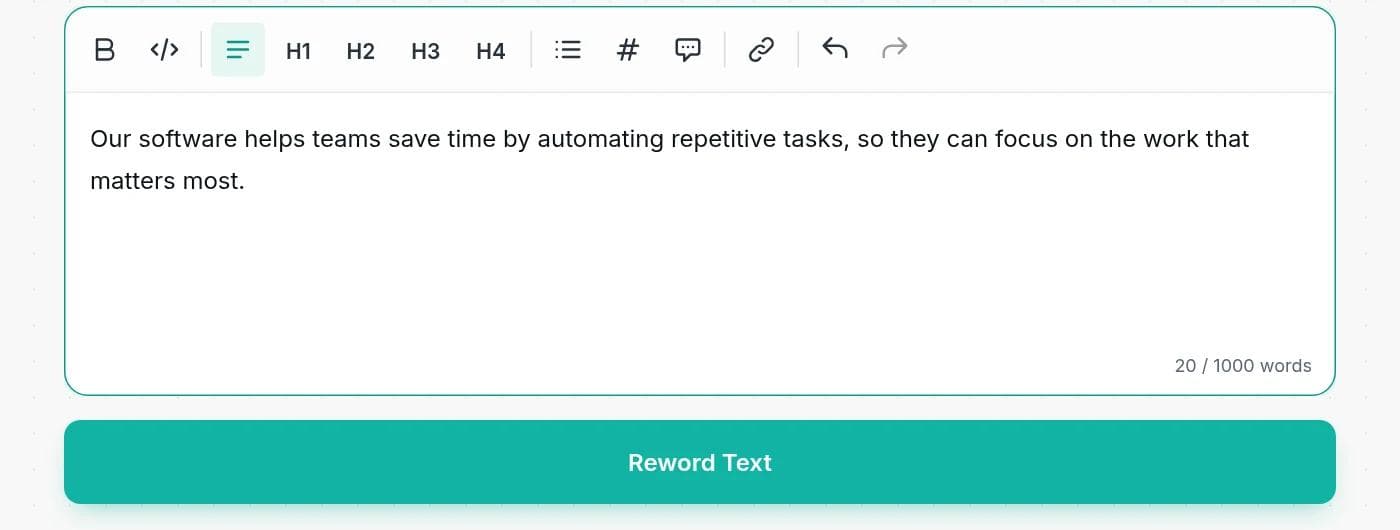
Step 3: Click Reword Text
The reworded versions appear in a few seconds. You can edit them in place and use Copy to Clipboard to take the one you like.
Step 4: Compare with the original
Read each version next to your source. Check names, numbers, dates and any claim. Pick the version that is closest in meaning, not just the one that sounds best.
Ask for the rewording you need
There are no mode buttons. You steer the tool with a line of plain instructions, which also means you can ask for exactly what you need:
| What you need | Add this line |
|---|---|
| A cleaner version of a clunky sentence | Reword this so it is clearer. Keep the meaning the same. |
| A different tone | Reword this in a friendly, professional tone for a marketing blog. |
| A shorter version | Reword this and make it about 20 percent shorter. |
| Facts that must not change | Reword this. Keep all names, numbers and dates exactly as written. |
| Plainer language | Reword this for a reader with no background. Use short sentences. |
| Less repetition | Reword this so no word is used more than twice. |
A real example, and what to check
We ran this two-sentence paragraph through the tool with no instructions:
Original: It is important for companies to regularly update their websites. Outdated content can confuse visitors and may reduce trust in the brand.
| Version | Result | What to check |
|---|---|---|
| 1 | Regular updates to company websites are essential. When content becomes outdated, it can mislead visitors and diminish their confidence in the brand. | "Mislead" is stronger than "confuse". "Confidence" is close to "trust", not the same. |
| 2 | Keeping websites current is crucial for companies. Stale information might cause confusion among visitors and potentially harm the company's credibility. | "Credibility" is not quite "trust". |
| 3 | For businesses, regularly refreshing website content is important. Outdated material can lead to visitor confusion and might negatively impact trust in the brand. | The closest to the original. |
All three keep the main point and add no new facts, and all three read well. They still shift a word here and there, which is how AI rewording works: it picks the phrase that sounds natural, and that is not always the one you meant. That is fine for tone and flow and a problem when the exact word matters.
In a second test we included facts and asked for a formal tone: a meeting on March 14 at 3:30 pm in Room 204, a 42-page Q3 report, and a $12,500 budget presented by Dr. Alvarez. Every fact survived in all five runs, and nothing was added. The tool did change "bring" into phrases such as "attendees are kindly requested to bring", which is what formal tone means. Checking the result against your source is still the habit to keep.
What we saw across 20 test runs
We ran the tool five times on each of four short texts, with and without instructions, to see how steady it is:
- All 20 runs returned three versions, each as its own paragraph.
- None added headings or labels above the versions, so you can copy one straight into your document.
- Names, numbers and dates stayed exactly as written in every run that had them.
- Short inputs cost 1 or 2 credits, depending on how long the versions were.
- Wording still changes from run to run. If the first set is not right, run it again or tighten your instruction.
Reword, paraphrase, rewrite or summarize?
People use these words loosely, but they ask the tool for different things:
| Task | What changes | What stays | Length |
|---|---|---|---|
| Reword | Word choice and phrasing | Meaning, order and structure | About the same |
| Paraphrase | Words and sentence structure | Meaning | About the same |
| Rewrite | Structure, order and angle | The core message | Often changes |
| Summarize | Almost everything, shortened | The main points | Much shorter |
If you want a shorter version, use the summarizer. To work on structure and flow, try the paragraph rewriter or the sentence rewriter.
Rewording and plagiarism
Rewording someone else's passage does not make it yours. If the ideas, the structure or the argument came from a source, you still need to cite it, however different the words are. A close paraphrase without a citation is usually treated as plagiarism in schools and publishing.
Detection is also changing. Turnitin has said that, from July 2024, its AI writing report can flag text that was likely AI-generated and then changed with an AI paraphrasing tool (FSCJ IT, on Turnitin's AI paraphrasing detection). We do not promise that reworded text will pass any checker, and no tool honestly can. Use rewording on your own writing, check the result, and cite what is not yours.
Tips for better results
- Reword small pieces. A paragraph at a time gives you more control than a whole page.
- Name what must stay. Add "keep all numbers and names exactly as written".
- State the reader. "For a busy manager" and "for a teenager" produce different words.
- Do not stack tools. Rewording the same text again and again drifts further from your meaning each time.
- Read the result aloud. If you would not say it, change it.
Rewording a resume or a cover letter
Rewording works for resume bullets when a line is clumsy or when you repeat the same verb. Add "keep every number, title and date exactly as written". Never let a tool add skills or results you did not have. For a first draft, the resume generator and the cover letter generator work from details you provide.
What it costs
Free tools run on your monthly credits. The charge is about 1 credit per 100 words of text, counting both what you paste and what comes back, with a minimum of 1 credit. A short sentence usually costs 1 credit and a paragraph with three versions 2 or 3. Free accounts get 5,000 words a month and paid plans start at $7.50 a month billed yearly. See the pricing page.
When a rewording tool is the wrong tool
Do not use it to change legal wording, contracts, medical instructions or anything where one changed word has a cost. Do not use it to disguise copied text. And do not use it to fix a weak argument: if the idea is unclear, rewording makes it sound smoother, not better. Rewrite it yourself, then reword.
If the text came from an AI tool and sounds stiff, the text humanizer is built for that and is on paid plans. To write something new from a topic, try the AI article writer.
Frequently asked questions
Writingful for your kind of writing
See how Writingful helps with the content you write most, by use case and by industry.

SEO Content Writing
Research keywords, write articles, and optimize them for search in one place, without publishing thin content.
- Keyword research
- Article drafts
- Content outlines and briefs

Press Release Writing
Draft clear, factual press releases in minutes, from the facts and quotes you approve.
- Product and service launches
- Company news
- Event announcements

Essay Writing
Brainstorm, outline, and revise essays faster, and stay inside your school's rules on academic integrity.
- Brainstorming and angles
- Thesis statements
- Essay outlines

Startups
Write launch content, a blog, help docs, and investor updates faster with a small team, without overclaiming.
- Launch announcements
- Landing page copy
- Founder and company blog posts

Construction
Write service pages, project write-ups, and customer emails faster, and keep license and warranty details accurate.
- Service pages
- Project write-ups
- Local blog posts

Law Firms
Plan, draft, and polish blog posts, practice-area pages, and attorney bios faster, then review every word before it goes live.
- Blog posts that answer client questions
- Practice-area pages
- Local and jurisdiction pages